Sytext Mascot

Every message.
In focus.

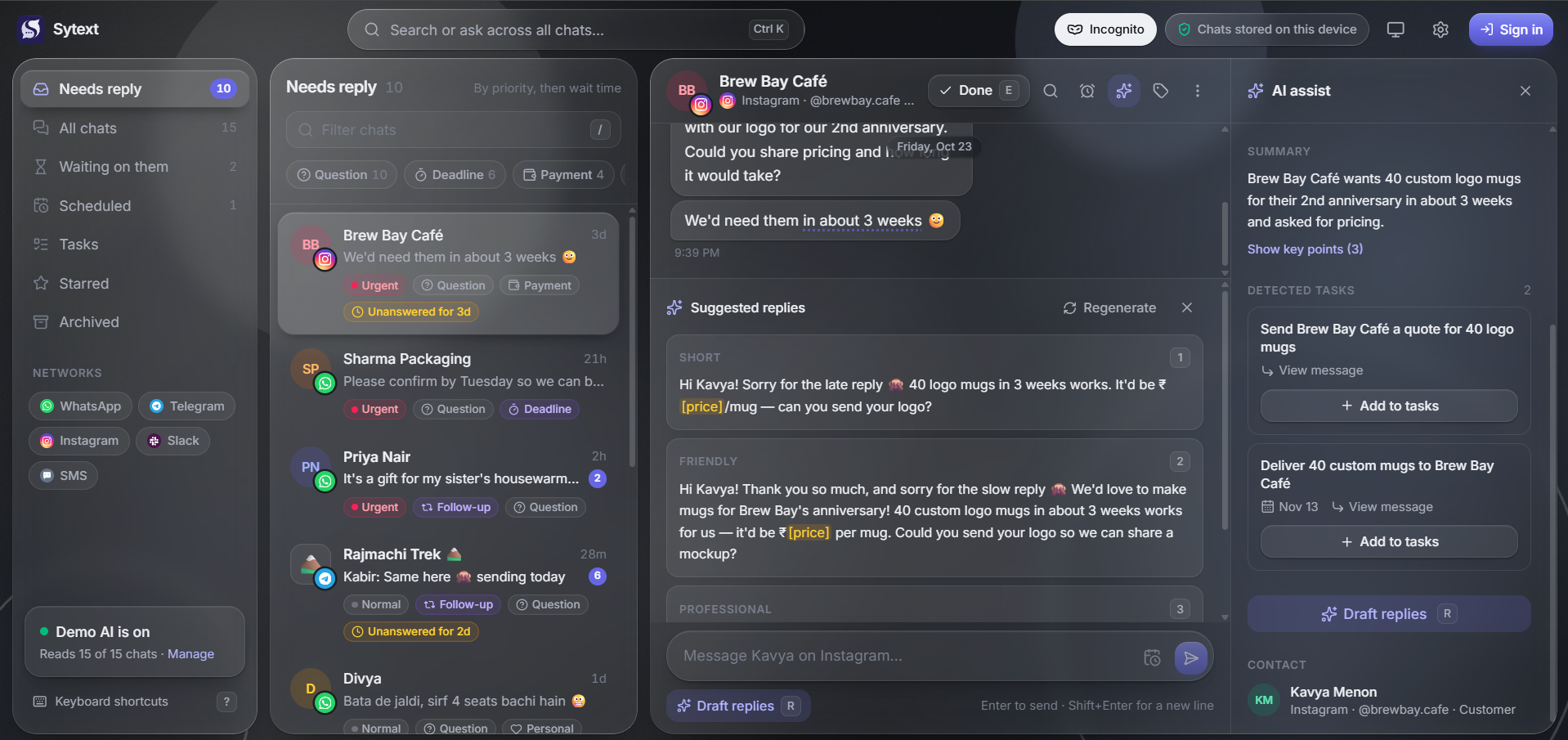
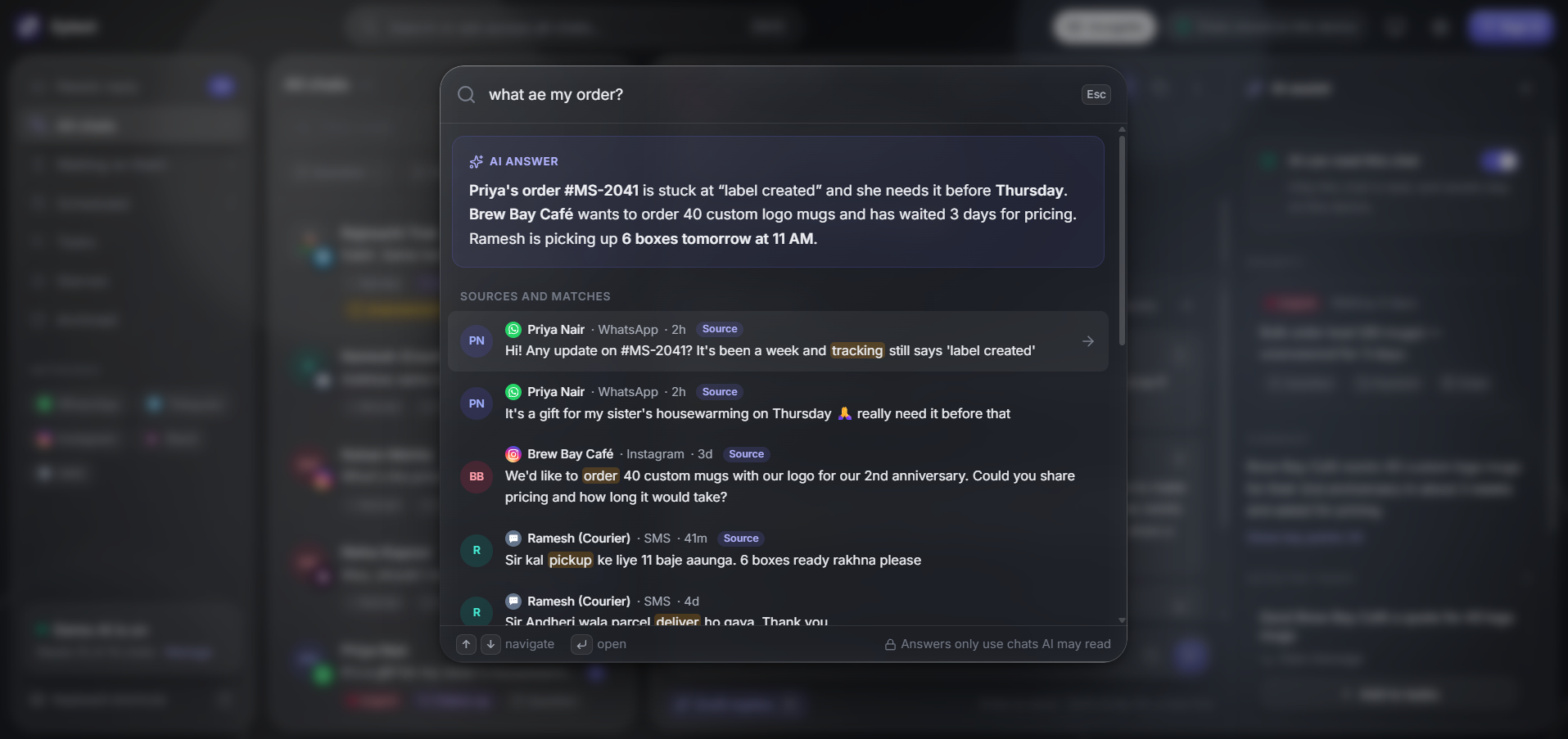
Sytext brings your conversations into one clear inbox, spots the people waiting on you, and helps you write the next reply.

Try the live demo
No credit required. Nothing sends without you.
Sytext Mascot

Connect.
Focus. Reply.

Bring the accounts you use every day into one place. Sytext keeps the context nearby, so the next useful action is always clear.

1

Link the inboxes you use.

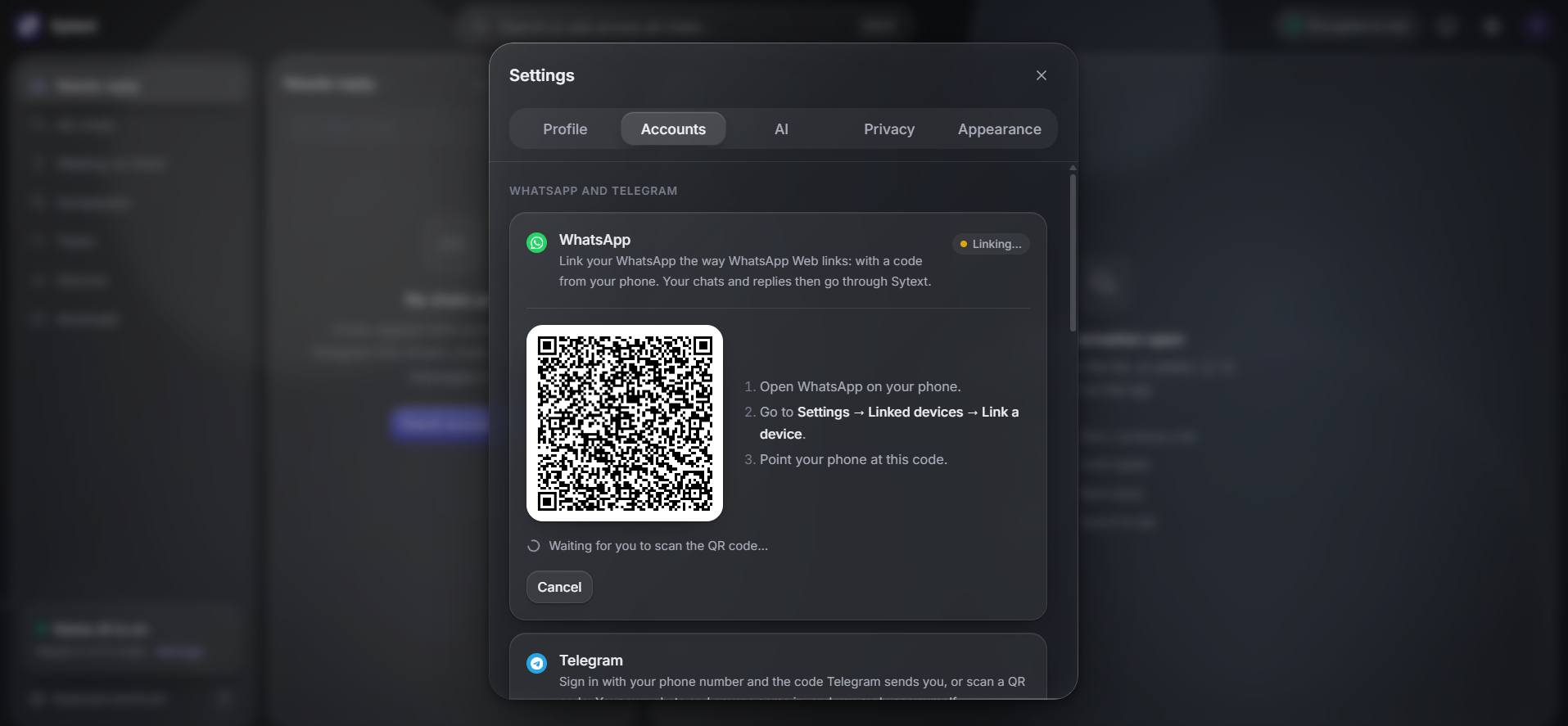
WhatsApp, Telegram, Instagram, Matrix and more can live beside each other.

2

Start with the waiting list.

AI can flag urgency and surface a clean, reply-ready queue.

3

Write the response that fits.

Use an AI draft as a starting point, then send only when it feels right.

View Guide
Sytext Mascot

Scattered. Noisy.
Filtered.

Every other inbox stops at the notification.
Sytext filter it, prioritizes it, and drafts the response.

time saved 45 min
headache ~1%
40
messages per chat stored
On device browser for sync
10+
AI models available
(Claude, Gemini, GPT…)
Urgent
AI priority levels
normal & low
Incognito
Read without Receipts,
Type without Typing…
WhatsApp Telegram Instagram Signal Matrix Discord SMS
Sytext Mascot

Your Chats
~ Your Privacy.

Your browser keeps its own copy of your chats in form of cookie. The server only stores your login and message id. Nothing is out from your chats.

View privacy policy

Incognito

Read without sending read receipts, and type without showing "typing…".

Local-first

Chats live in your browser, not a central database. The server only keeps sytext login id.

You send, not AI

Sytext drafts replies, but nothing goes out until you press send.

Sytext Mascot

Questions, answered.

What is Sytext?
Sytext is an AI-first unified inbox. It puts WhatsApp, Telegram, Instagram, Slack, SMS and more into one place, tells you who needs a reply by AI priority, and drafts the response for you.
Do I need an account to try it?
No. The demo inbox has 15 sample conversations across five networks, and you can try it without creating an account.
Does it send messages automatically?
Never. Sytext drafts replies, but you always review and press send yourself.
Which networks can I connect?
WhatsApp, Telegram, Instagram DMs, Guffshuff, Matrix (through bridges), Slack and SMS. You can also use a Telegram bot.
Is my chat history stored on a server?
Chats live on your devices browser, can be checked in setting>accounts. The server only keeps the pinned or starred with id code, so a small free database is enough.
What AI models can I use?
The built-in demo AI works by default. Signed in, you can use the free shared AI (OpenRouter or Gemini), or bring your own key for Claude, ChatGPT, Gemini, Groq, Mistral, DeepSeek, Grok, or any OpenAI-compatible service.
How do priority tags work?
Each allowed chat is marked Urgent, Normal or Low, and tagged by topic: Question, Follow-up, Deadline, Payment, Order, Meeting, Work, Personal, Promo or FYI. Marking a chat done clears the tags that asked something of you.

Connecting the Internet.

Try for free